NINJA WiFi Japan 2026 — Pocket WiFi vs eSIM Complete Guide
NINJA WiFi Japan 2026 — compare pocket WiFi vs eSIM, prices, pickup options and how to book the best Japan internet solution for your trip.
What This Guide Covers
- What NINJA WiFi and NINJA eSIM are and how each works
- Honest WiFi vs eSIM comparison by travel style
- Prices, data plans and pickup locations explained
- Sakura Mobile SIM as an alternative for longer stays
- Step-by-step booking guide with no hidden fees
What Is NINJA WiFi?
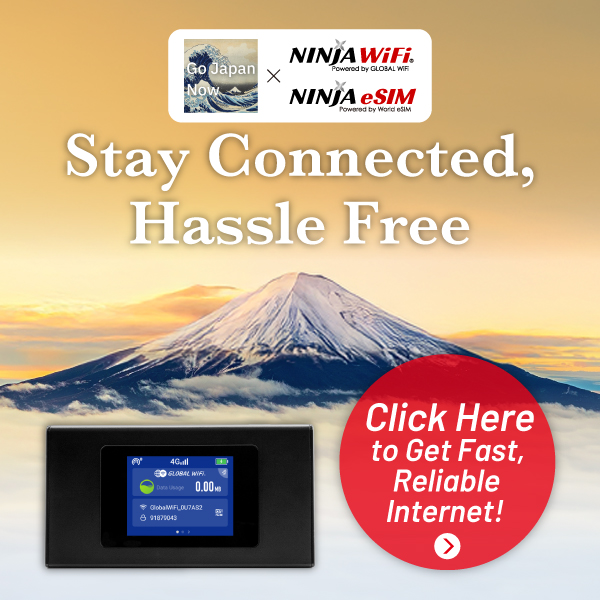
NINJA WiFi is a pocket WiFi rental service built for travelers in Japan. You pick up a small device at the airport or hotel on arrival, connect all your devices to it via standard WiFi, and drop it off when you leave. No SIM swapping, no unlocked phone required.
Key Features of NINJA WiFi
- Coverage: Stable 4G/LTE across Japan — cities, countryside and mountain towns
- Data: Unlimited plans available (fair-use policy applies after heavy daily usage)
- Multi-device: Connect up to 5 devices simultaneously — perfect for groups and families
- Pickup: Narita, Haneda, Kansai airports + hotel delivery available nationwide
- Cost: From ¥770–990 per day depending on plan and rental period
Who Should Choose NINJA WiFi?
NINJA WiFi is the best choice for families and groups who need to share one connection across multiple phones and tablets. It also excels for travelers heading to rural areas or hopping between multiple cities where consistent coverage matters most. If you want plug-and-play simplicity and don’t mind carrying a small device in your bag, NINJA WiFi delivers.
NINJA WiFi Japan — reserve before your trip, airport counter availability is limited in peak season
What Is NINJA eSIM?

NINJA eSIM is a digital SIM you install directly on your smartphone — no physical device to collect, carry, or return. Buy it online before departure, receive a QR code by email, scan it in your phone settings, and you’re connected the moment your flight lands in Japan.
Key Features of NINJA eSIM
- Setup: QR code scan in under 2 minutes — complete it at home before you leave
- No returns: Fully digital — nothing to hand back at the airport on departure day
- Speed: Fast 4G/LTE in cities; competitive performance alongside pocket WiFi
- Device limit: Works on 1 device only (your own phone — not shareable)
- Compatible with: iPhone XR+, Google Pixel 4+, Samsung Galaxy S20+ (select models)
Who Should Choose NINJA eSIM?
NINJA eSIM is ideal for solo travelers who want zero airport hassle — no pickup queue, no bag space wasted, no return deadline to stress about on your last day. It’s also the smart choice for anyone arriving on a late night flight when airport rental counters may already be closed.
NINJA eSIM — instant activation, no pickup needed, connects the moment you land in Japan
NINJA WiFi vs eSIM — Which Is Right for You?
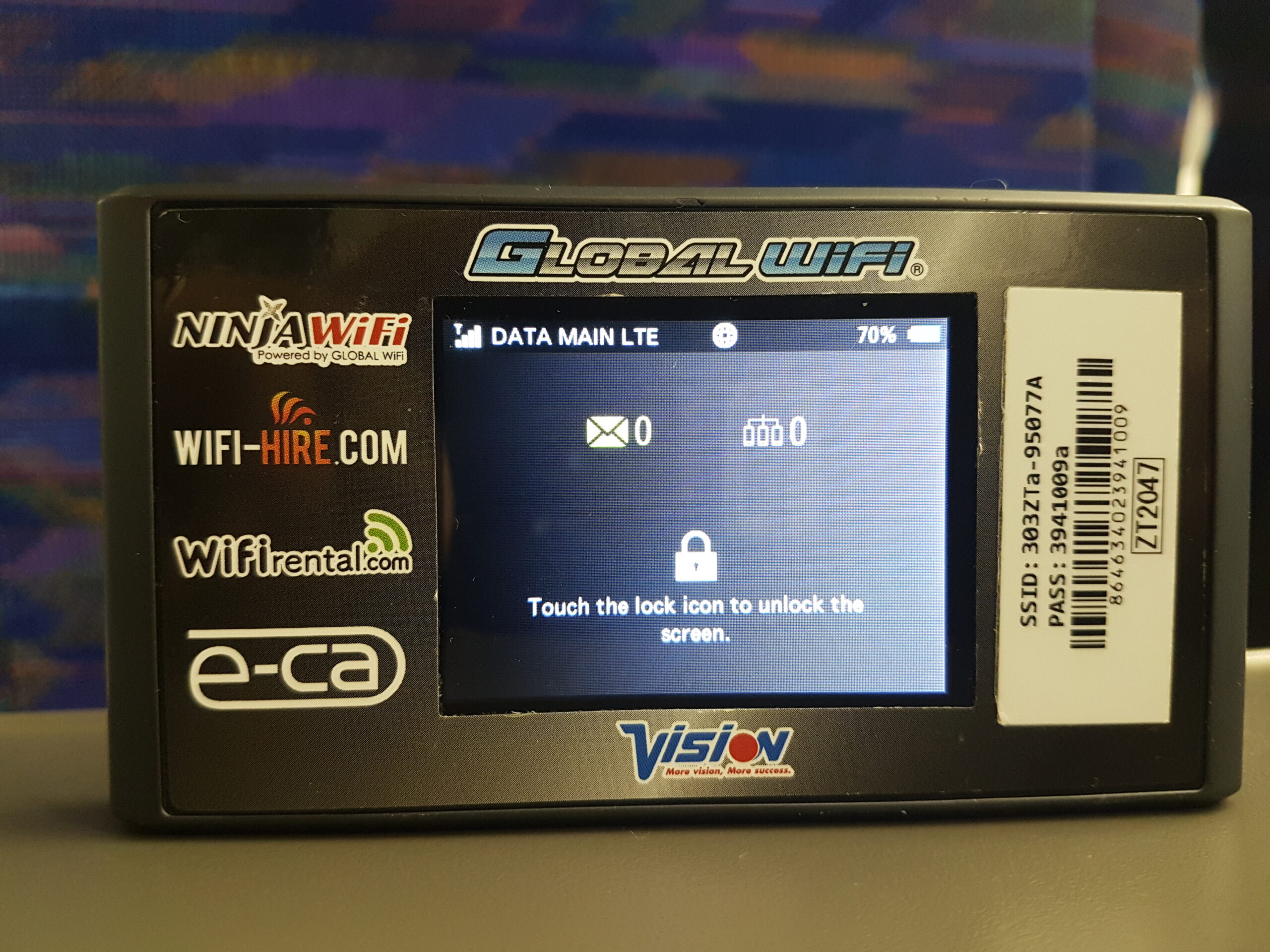
Both options deliver reliable internet throughout Japan — the right pick depends on your group size, itinerary style, and phone model. Use this side-by-side comparison to decide.
| Feature | NINJA WiFi | NINJA eSIM |
|---|---|---|
| Setup | Airport / hotel pickup | QR code scan at home |
| Devices supported | Up to 5 simultaneously | 1 device only |
| Data plans | Unlimited plans available | Prepaid GB bundles |
| Return required | Yes — before departure | No — digital only |
| Best for | Groups, families, rural trips | Solo travelers, light packers |
| Starting price | From ¥770/day | Varies by data plan |
Quick Picks by Travel Style
- Group of 2–5 people: NINJA WiFi — share one device, split the daily cost
- Solo traveler: NINJA eSIM — fastest setup, nothing to carry or return
- Rural or multi-city trip: NINJA WiFi — more stable coverage beyond major urban areas
- Business traveler / digital nomad: Consider both — use eSIM as backup if WiFi device dies
Compare all NINJA WiFi and eSIM plans — pick the right option for your group size and trip length
Sakura Mobile — Best SIM Card for Longer Stays
If you’re staying in Japan for more than a week, or want your own phone to work independently without renting an extra device, Sakura Mobile is a strong WiFi alternative worth comparing.
Why Sakura Mobile Stands Out
- SIM card + eSIM options: Insert into your own phone — no separate device to carry
- Flexible plans: Short-term rental or monthly data plans from around ¥3,000
- English support: Customer service available in English for international visitors
- Airport pickup: Available at Narita, Haneda, Kansai and other major airports
- Voice calls: Optional plans include a local Japanese phone number
Sakura Mobile is especially popular with travelers on two-week+ trips, students, and remote workers who need a reliable monthly data plan rather than a per-day rental.
Sakura Mobile — monthly SIM & eSIM, English customer support, airport pickup at major airports
How to Book NINJA WiFi or eSIM

Booking takes about 5 minutes online. The key difference is the pickup step — WiFi requires collecting a physical device on arrival; eSIM is fully digital with no in-person step.
NINJA WiFi — Booking Steps
- Choose your plan — select rental period and daily data plan on the NINJA WiFi website
- Select pickup location — airport counter (Narita / Haneda / Kansai) or hotel delivery
- Pay online — credit card, PayPal, or Alipay accepted
- Collect your device on arrival — at the designated airport counter or hotel front desk
- Return before departure — drop off at any return point. Free cancellation up to 5pm the day before rental.
NINJA eSIM — Booking Steps
- Select data plan — choose your GB amount and validity period
- Pay online and receive QR code — sent to your email immediately after purchase
- Scan QR before departure — go to Settings > Mobile Data > Add eSIM on your phone
- Activate on arrival in Japan — your phone connects to Japan’s network automatically at the airport
Reserve your Japan internet connection now — airport counter availability is limited during Golden Week and Obon
NINJA WiFi Japan — Frequently Asked Questions
Yes. NINJA WiFi counters are at Narita (Terminal 1, 2, 3), Haneda (Terminal 2, 3), Kansai International, Nagoya Centrair, and Fukuoka airports. Hotel delivery is also available for most areas across Japan.
Generally yes. NINJA WiFi runs on Japan’s major carrier networks (SoftBank / docomo) with broad coverage including rural towns and popular mountain resorts like Hakone, Nikko, and the Japanese Alps. Signal may weaken deep in remote wilderness, but coverage at tourist attractions is reliable.
NINJA eSIM works with iPhone XR and newer, Google Pixel 4 and newer, and Samsung Galaxy S20 and newer (select models). To verify: go to Settings > Mobile Data on your phone. If you see “Add eSIM” or “Add Data Plan,” your device supports eSIM. Note that carrier-locked phones from some countries may not be compatible — check with your carrier before purchasing.
Up to 5 devices simultaneously — smartphones, tablets, laptops and cameras all count. For a family of 4 or a group of friends, one NINJA WiFi unit is typically enough and far more cost-effective than buying individual SIM cards for everyone.
NINJA WiFi’s unlimited plans apply a fair-use policy — connection speeds may slow after very heavy usage (typically 10GB+ per day). For streaming-heavy itineraries, video calls, or remote work, consider upgrading to the premium unlimited plan for consistent speeds throughout the day.
Free cancellation is available up to 5pm the day before your rental start date. Changes to pickup location or rental dates are possible before the rental period begins. Always confirm the current cancellation policy on the NINJA WiFi website at the time of booking.
Want a broader WiFi, SIM & eSIM comparison for Japan? See all options side by side.
▶ Stage 2 — Getting Ready Japan WiFi, SIM & eSIM 2026 — Pick One Before You Fl … 続きを見る ▶ Stage 2 — Getting Ready Japan Transportation Guide 2026 — Pick the Right Ride in 4 Steps Pick how … 続きを見る
Japan WiFi, SIM & eSIM Guide 2026 — Stay Connected from Landing

Japan Transportation Guide 2026 — Trains, JR Pass & IC Cards