Japan WiFi SIM eSIM 2026 — Stay Connected from the Moment You Land
Japan WiFi SIM eSIM options compared honestly — pocket WiFi, SIM card, or eSIM. Pick the right one before you fly and arrive connected, not scrambling at baggage claim.
Japan’s Ministry of Internal Affairs (MIC) now requires passport verification
for every SIM and eSIM purchase — both in-store and online.
Buying before your trip (online from Sakura Mobile, IIJmio, etc.)
is still the fastest way to connect on arrival — you’ll just need to upload
your passport photo during checkout. At airports and convenience stores,
show your passport at the counter.
- Why You Need Internet Access from the Moment You Land
- Japan WiFi SIM eSIM — Which Option Is Right for You?
- eSIM for Japan — The Fastest Way to Get Connected
- NINJA WiFi — Best Pocket WiFi for Groups
- SIM Card for Japan — Best for Long Stays
- How to Set Up Your eSIM for Japan — Step by Step
- Japan WiFi SIM eSIM by Trip Type — Quick Recommendations
- Free WiFi in Japan — What You Can and Cannot Rely On
- Japan WiFi SIM eSIM — Cost Comparison 2026
- Frequently Asked Questions — Japan WiFi SIM eSIM
Why You Need Internet Access from the Moment You Land
Japan is wonderfully modern — but offline simply doesn’t work here
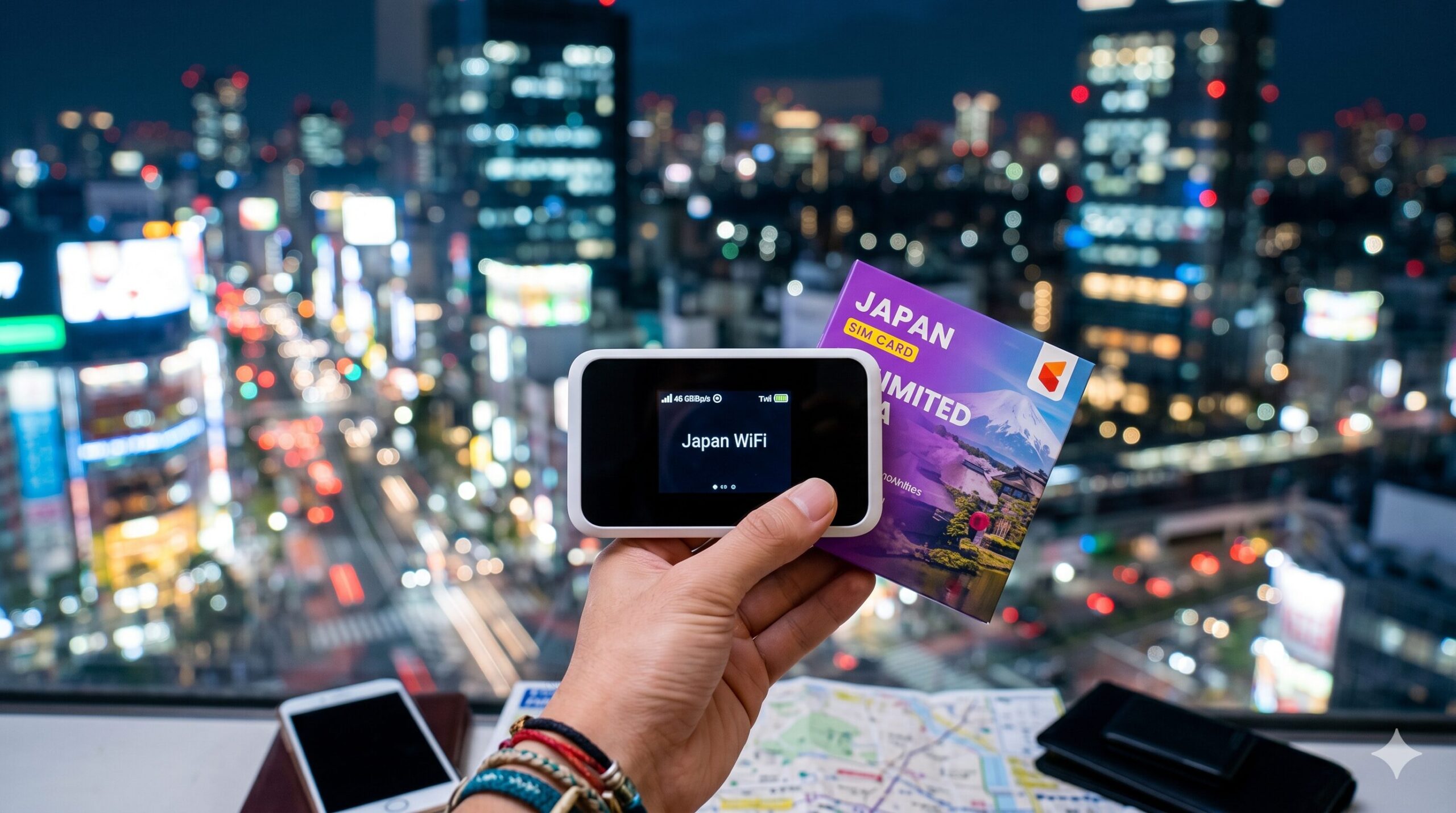
The second your flight touches down in Japan, you’ll need the internet — before you even clear customs. Google Maps to find your hotel, Google Translate to read station signs, LINE to contact your Airbnb host. Japan WiFi SIM eSIM planning is the single most important pre-departure task most first-timers skip.
Three real situations where no internet = genuine problems:
- Navigating the Narita Express transfer at Shinjuku Station with 2 pieces of luggage
- Finding your hotel in a dense neighborhood where Google Maps is the only way to orient yourself
- Using IC card top-up apps, Google Pay, or contactless payment at convenience stores
The good news: Japan’s mobile coverage is world-class. Docomo, SoftBank, and au together cover over 99% of populated areas including rural Tohoku, Hokkaido mountains, and the islands of Okinawa — but coverage percentages don’t tell the full story. Signal stability in tunnels, on moving trains, and in mountain terrain varies meaningfully between carriers. Choose the right network backbone and you’ll forget you’re on a foreign SIM. We break down the differences below.
Sakura Mobile eSIM — the most popular choice for foreign visitors to Japan
Japan WiFi SIM eSIM — Which Option Is Right for You?
Quick decision guide before we go into detail
Each option has a distinct use case. Before comparing products, match yourself to the right category:
GROUPS
BEST FOR SOLO
LONG STAYS
Sakura Mobile — unlimited data SIM & eSIM, Japanese customer support, airport pickup available
eSIM for Japan — The Fastest Way to Get Connected
Activate before your flight, land with 4G/5G already working
An eSIM is a digital SIM embedded directly into your phone. No physical card, no airport counter queue, no device to carry. Set it up the night before your flight, and you’ll have live 4G/5G the second you step off the plane in Japan.
Is Your Phone eSIM Compatible?
Most phones released after 2019 support eSIM. Confirmed compatible models include:
| Brand | Compatible Models |
|---|---|
| Apple iPhone | XS, XR (2018) and all later models |
| Samsung Galaxy | S20, Note 20, Z Fold/Flip series and later |
| Google Pixel | 4a (2020) and all later models |
| Other Android | Check Settings → Network → SIM → Add eSIM |
To confirm on your phone: go to Settings → Mobile Data (or Cellular) → Add eSIM. If you see this option, you’re good to go.
Sakura Mobile eSIM — Best Overall for Japan
Sakura Mobile is consistently the top recommendation for foreign visitors — Japanese-language support team, a choice of two carrier networks (au or Docomo), and flexible plan lengths from 8 days to 90 days. Both lines cover 99% of Japan: pick au for 5G unlimited speed, or Docomo for the widest rural footprint.
Japan’s Three Major Carriers — Stability First
Japan’s three national networks — Docomo, au, and SoftBank — all report 99%+ population coverage. The real differentiator is signal stability in transit and terrain: underground Shinkansen segments, mountain resort areas, and rural prefectures where tourists actually go. SoftBank excels in dense urban corridors (Tokyo, Osaka, Nagoya) but signal reliability thins faster beyond the metro belt. Docomo and au are the stability benchmarks for any itinerary that ventures outside major cities — both carry the 800 MHz “platinum band” that bends around buildings and mountains where high-frequency signals can’t penetrate.
| Carrier | Urban Stability | Rural & Mountain | Platinum Band |
|---|---|---|---|
| Docomo | Excellent | Best overall in Japan | 800 MHz (Band 19) |
| au (KDDI) | Excellent | Excellent + 5G | 800 MHz (Band 18) |
| SoftBank | Good (city-focused) | Weaker outside metros | 900 MHz (Band 8) |
au or Docomo — Which Sakura Mobile Line Should You Pick?
Sakura Mobile lets you choose the carrier network behind your SIM or eSIM, and the difference comes down to two kinds of radio wave. High-frequency bands (2100 MHz, plus 5G n77/n78) are fast but easily blocked by buildings and mountains. The 800 MHz “platinum band” (au band 18 / Docomo band 19) is slower but bends around obstacles to reach the countryside and the mountains. Both Sakura lines carry a platinum band — what really matters is whether your phone supports band 18/19.
| au line | Docomo line | |
|---|---|---|
| Speed | 4G / 5G unlimited | 4G unlimited |
| Rural & mountain reach | Excellent (800 MHz band 18) | Widest overall (800 MHz band 19) |
| Best for | Heavy data, cities, 5G phones | Long rural trips, broadest safety net |
| Watch out | Phone needs band 18 / n77–n78 | Phone needs band 19 |
A real mountain example (2026): at Karasawa Hütte in the Northern Alps, the au line is the reliable one — Docomo there relies on a seasonal base station that has, in some years, gone live late, leaving the area with no Docomo signal. Mountain coverage is spot-by-spot, so if your trip is built around specific huts, check that exact location.
Not sure which line your phone supports, or which fits your route? Sakura Mobile’s English support team will confirm band compatibility before you buy — ask them here.
TOP PICK
BUDGET PICK
Sakura Mobile eSIM — activate tonight, land with full 4G/5G tomorrow
USIMS — one eSIM for 180+ countries, no SIM swap needed, activate before you fly
NINJA WiFi — Best Pocket WiFi for Groups
Up to 10 devices on one router — ideal for families and travel groups
Pocket WiFi remains the best option when traveling with 2 or more people using separate devices. One router covers everyone — laptops, tablets, multiple phones — with a single plan and a single daily cost.
NINJA WiFi is one of Japan’s longest-established pocket WiFi providers. Their unlimited plan is genuinely unlimited (no throttling after a data cap), which sets them apart from several cheaper alternatives that slow to near-unusable speeds after 3GB/day.
GROUP PICK
RELIABLE PICK
NINJA WiFi — reserve now for airport pickup, hotel delivery available
Unidata — pocket WiFi that works in Japan and 180+ countries, no SIM swap needed
SIM Card for Japan — Best for Long Stays
30-day plans start from ¥2,000 — the best value for two weeks or more

A physical Japan SIM card beats eSIM on price for stays over two weeks. Available at airport arrivals halls (IIJmio, B-Mobile kiosks and major convenience stores in terminals), you’re online within minutes of landing.
Before You Buy: Check Your Phone is SIM-Unlocked
⚠️ Critical step: Your phone must be SIM-unlocked before inserting a Japanese SIM. Most carriers offer free unlock for phones older than 60 days — check with your carrier before departure. iPhones purchased outright (not on contract) are usually unlocked by default.
Best SIM Cards at Japanese Airports in 2026
| Provider | Data / Validity | Voice | Price |
|---|---|---|---|
| IIJmio Tourist SIM | 15GB / 30 days | Available | From ¥3,300 |
| B-Mobile Visitor SIM | 7GB / 21 days | Data only | From ¥2,200 |
| Mobal Japan SIM | Unlimited / 30 days | Available | From ¥3,700 |
| Sakura Mobile SIM | Unlimited / 30 days | Available | From ¥3,980 |
Note: Most tourist SIM cards in Japan are data-only by default. If you need to make Japanese phone calls (booking restaurants, contacting hotels), specifically request a voice-enabled SIM — IIJmio and Sakura Mobile both offer voice options.
USIMS eSIM — skip the SIM card, instant data in 180+ countries with one app
How to Set Up Your eSIM for Japan — Step by Step
Takes under 5 minutes — do this at home before you fly
eSIM setup looks technical but takes under 5 minutes if you follow these steps while you still have your home WiFi connection. Do not wait until you’re at the airport.
Purchase your eSIM plan
Buy from Sakura Mobile or Klook. You’ll receive a QR code by email, usually within minutes of purchase.
Open Settings → Mobile Data → Add eSIM
On iPhone: Settings → Cellular → Add eSIM. On Android: Settings → Connections → SIM Manager → Add eSIM.
Scan the QR code
Point your phone camera at the QR code in your email. The eSIM profile downloads automatically — no app needed.
Set Data Roaming to OFF on your home SIM
Critical step. Go to Settings → your home SIM → disable Data Roaming. This prevents accidental roaming charges while using the Japan eSIM.
Select Japan eSIM as your data SIM
In Settings → Cellular → Cellular Data, select the Japan eSIM. Your home SIM stays active for calls and texts only.
Test on WiFi before your flight
The eSIM activates when you arrive in Japan and connect to a Japanese network. You can verify the profile installed correctly via Settings → Cellular — it should show your Japan eSIM plan listed.
Sakura Mobile eSIM — 5-minute setup, works from the moment you land in Japan
Japan WiFi SIM eSIM by Trip Type — Quick Recommendations
Match your situation to the right product in 30 seconds
| Your Situation | Best Option | Why |
|---|---|---|
| Solo traveler, eSIM-compatible phone | Sakura Mobile eSIM | Passport-verified online checkout, unlimited data, au or Docomo line |
| Couple or family, multiple devices | NINJA WiFi (group) | One cost, up to 10 devices, easy airport pickup |
| Budget traveler, 7 days | Klook eSIM | From ¥1,200, solid coverage, QR code delivery |
| Long stay (30+ days) | Sakura Mobile SIM | Unlimited 30-day plan, voice option available |
| No eSIM-compatible phone | NINJA WiFi or SIM Card | Works with any WiFi-capable device |
| Business traveler needing Japanese number | Sakura Mobile SIM (voice) | Japanese phone number + English support |
Sakura Mobile — unlimited data, English support, trusted by 100,000+ foreign visitors
Free WiFi in Japan — What You Can and Cannot Rely On
Useful as a supplement — never as your primary connection
Free WiFi in Japan is more available than it was five years ago, but it remains unreliable as a primary connection strategy. Here’s the honest picture:
| Location | WiFi Available | Reliability |
|---|---|---|
| Narita / Haneda airports | ✓ Yes (Japan Connected) | Good — registration required |
| Shinkansen (Nozomi/Hikari) | ✓ Yes (some trains) | Patchy — tunnels drop frequently |
| 7-Eleven, FamilyMart | ✓ Yes | Short sessions only (30–60 min) |
| Starbucks, McDonald’s | ✓ Yes | OK — requires app registration |
| Tokyo Metro stations | ✓ Yes (Japan Free WiFi) | Platform only — not in trains |
| Rural towns / countryside | ✗ Rare | Not available — data essential |
| Local trains (non-Shinkansen) | ✗ No | Cellular data only |
Download the Japan Connected-free Wi-Fi app (iOS / Android) before you arrive. It pre-registers you for free WiFi at airports, train stations, convenience stores, and tourist spots across Japan. Useful as a backup, but not a replacement for your own data connection.
Bottom line: free WiFi covers airports and city centers adequately for quick checks, but the moment you’re on a moving train, in a rural area, or need continuous navigation, you need your own connection. Don’t rely on free WiFi as your primary plan.
Don’t gamble on free WiFi — get your eSIM or pocket WiFi sorted before you fly
Japan WiFi SIM eSIM — Cost Comparison 2026
Stability first, then price — what you’ll actually pay per option
Stability before price: Docomo and au deliver consistent signal in Shinkansen tunnels, mountain resorts, and rural routes. Many budget eSIMs and MVNOs piggyback on SoftBank’s network — ideal for city trips, but less reliable once you leave the metro corridor. The premium for a Docomo or au-backed plan is typically ¥500–¥1,000 for a 7-day trip. Worth it if your itinerary includes Hakone, Nikko, Noto, Tohoku, or any destination beyond the Tokyo-Osaka corridor.
| Option | 7-Day Trip | 14-Day Trip | Per Day |
|---|---|---|---|
| Sakura Mobile eSIM | ~¥5,000 | ~¥8,000 | ~¥710 |
| Klook eSIM | ~¥1,200 | ~¥2,000 | ~¥175 |
| NINJA WiFi (solo) | ~¥3,500 | ~¥7,000 | ~¥500 |
| NINJA WiFi (÷ 3 people) | ~¥1,170/person | ~¥2,330/person | ~¥167 |
| Sakura Mobile SIM | ~¥3,300 | ~¥3,300 | Flat 30-day rate |
| International roaming | ¥5,000–¥15,000 | ¥10,000–¥30,000 | Very expensive |
Key takeaway: choose your carrier backbone first — Docomo or au for stability across mountains, tunnels, and rural routes — then optimize on price. For a solo city trip (7 days), Klook eSIM is cheapest. For rural or mountain destinations, Sakura Mobile (au or Docomo line) is worth the premium. For groups of 3+, NINJA WiFi wins per person. For a 30-day stay, Sakura Mobile SIM offers the best flat-rate value. Don’t sacrifice network stability to save ¥500/day.
Sakura Mobile — compare all plan lengths and prices before you book
Frequently Asked Questions — Japan WiFi SIM eSIM
-
-
Japan Airport Transfers 2026: Narita, Haneda & Kansai Complete Guide
▶ Stage 2 — Getting Ready Japan Airport Transfers 2026 — Narita, Haneda & Kansai Complete Guide …
続きを見る
-
-
Japan Transportation Guide 2026 — Trains, JR Pass & IC Cards
▶ Stage 2 — Getting Ready Japan Transportation Guide — Trains, JR Pass & IC Cards Explained jap …
続きを見る